First, test the work
AI prototype on your data
Usually 1–2 weeks
A working test on real examples from your workflow, not a polished demo.

Use AI where it creates value
AI is useful when it takes over repetitive reading, sorting and checking, so people can spend their time on decisions and customers. We help you find that workflow, test AI on your own data and build it into the systems your team already uses.
You don’t need to choose a model or a provider. Start with the work that takes too long today.
First, test the work
Usually 1–2 weeks
A working test on real examples from your workflow, not a polished demo.
Then, put it to work
Usually 4–5 weeks after the prototype is validated
Connected to the systems your team already uses.
Keep improving
Measure, learn, adjust
We measure results and adjust the system as real cases come in.
Requests arrive in one inbox and someone has to decide who should handle each one.
Invoices, forms or reports are read and copied into another system.
Someone looks at every image or attachment to decide whether something is wrong.
Useful information stays in recordings that would take hours to review.
The same questions come in outside working hours and wait until the next day.
The answer exists somewhere, but people ask a colleague instead of finding it.
Practical applications
50–80%less time on repetitive tasks
In the AI workflows we have built for clients, teams spend 50–80% less time on repetitive tasks. The value comes from what changes around the AI: less repeated work, faster answers and more consistent decisions.
Choose the right tool
Not every problem needs AI. If the inputs are predictable and the rules are clear, normal software automation is faster, cheaper and easier to control. AI fits where information is unstructured: language, documents, images or situations that need interpretation.
We compare both before recommending anything. Often the right system combines clear rules, integrations and AI, instead of asking a model to do everything.
Normal automation
AI where it helps
From idea to daily work
We map the real workflow, the people involved and where time is being lost.
What the AI should do, what it should not do and what a useful result looks like.
A prototype in one to two weeks, evaluated on your own data, including the difficult cases.
Interface, rules, approvals and fallbacks around the model. The software around the AI is what makes it usable.
We connect it to the systems where the work happens and start with one team or process.
We track accuracy and time saved, and adjust the system as real cases come in.
Built with guardrails
AI output can be wrong or uncertain, so we design for that from the start. Depending on the use case, the system uses confidence thresholds, clear escalation to a person, human approval before important actions, permissions that limit what it can see or do, and logs that show what it did.
A named engineer stays accountable for every AI system we build, and you decide where a person must check the result. We are not tied to one model or provider: the choice depends on quality, security, cost and where your data may be processed.
Two AI workflows we built and run for clients.
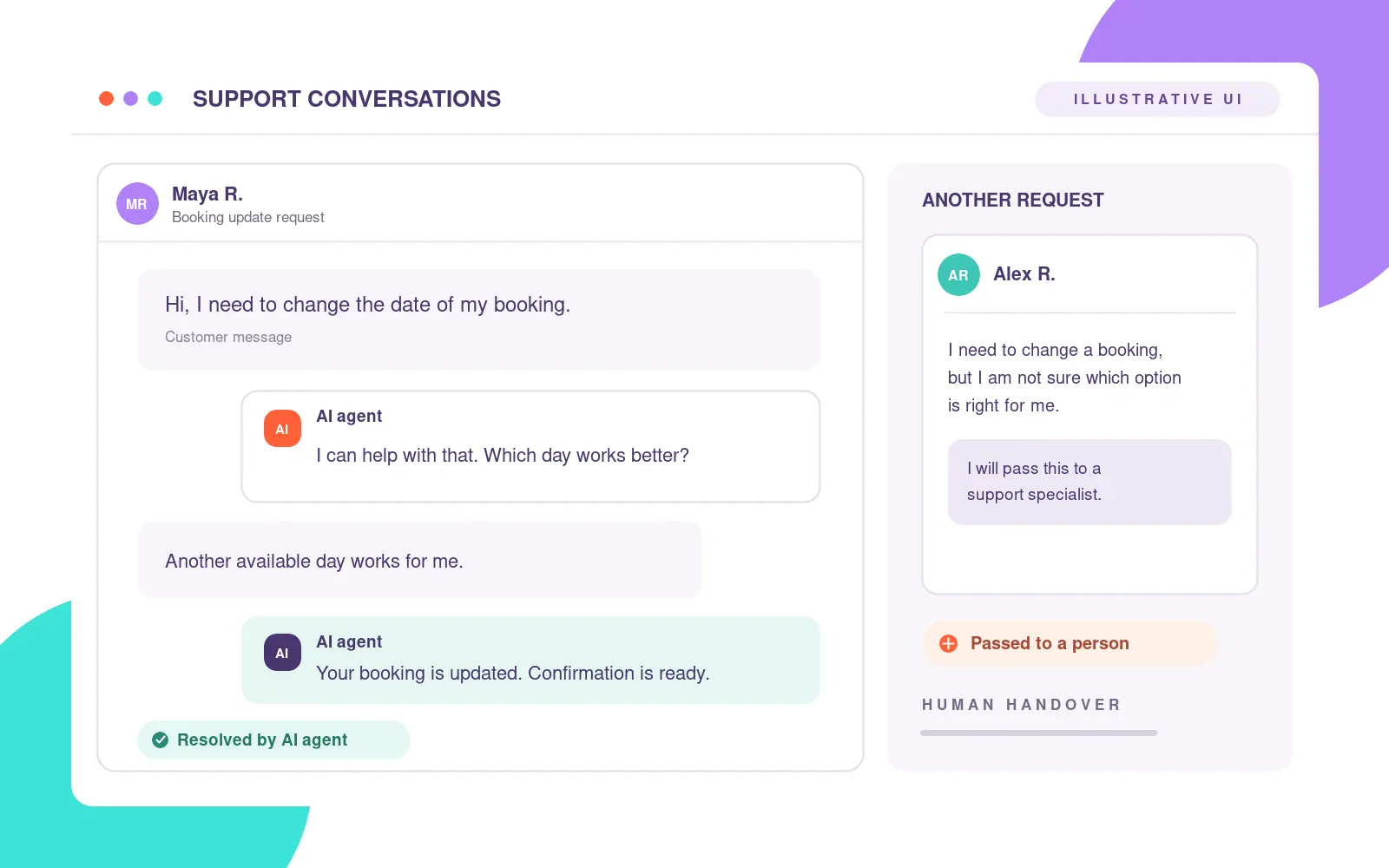
A support team received 25–50 requests a day: most needed someone to read the email, log into an internal system and carry out an action for the customer, and the rest asked for documents that already existed in that system. We built an AI agent that understands each request in context, carries out the action or retrieves the document and sends it to the customer, quickly and quietly in the background.
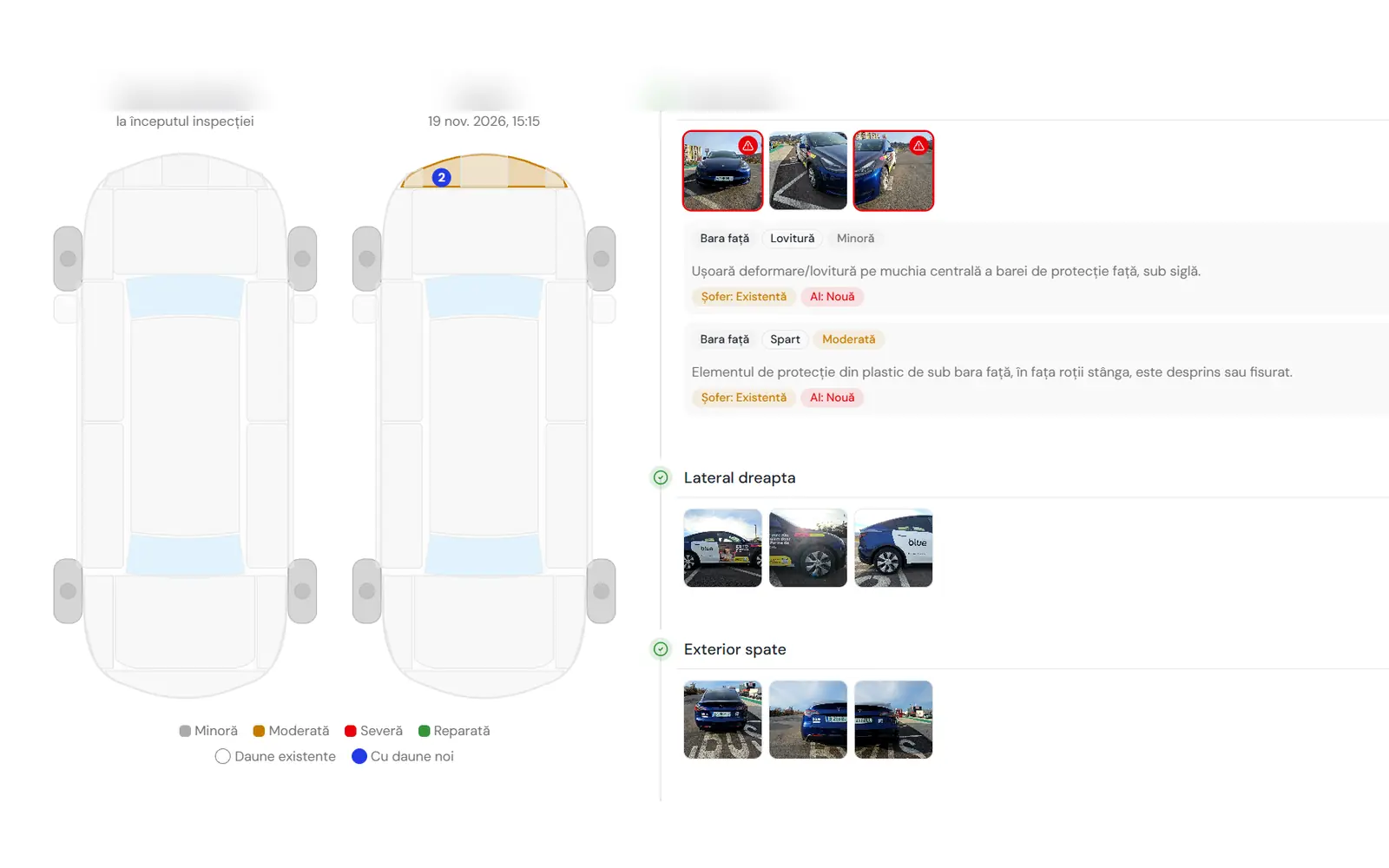
At every pick-up and return, staff checked each car for damage by eye and filled in the handover report by hand. We built an AI assistant that analyses the photos, detects visible damage and drafts the report automatically.
A useful place to begin
Clear answers
Clear, stable rules usually favour normal automation. Language, documents, images and situations that need interpretation may justify AI. Many useful systems combine both.
Usually not. Most projects start with existing models connected to your data, rules and software. Custom training makes sense only when the use case and the results justify it.
Yes. We look at the current system, its APIs and data, then add the AI step behind the existing interface or as a new step for the people who use it.
We design for that. Confidence thresholds, fallbacks, permissions and human review are chosen according to the cost of a mistake, and the system shows uncertainty instead of hiding it.
We define what data the system may use, where it is processed, who can see it and what the AI provider may keep. Provider and architecture choices follow your security, privacy and contract requirements.
Yes, when the agent has a clear task, limited permissions and a safe way to hand over to a person when it cannot finish the work.
Start with the work
Tell us what takes too long, what needs too much manual checking or where important information is hard to use. We’ll tell you whether AI, normal automation or both is the right next step.
We reply within one business day. Your first call is 30–40 minutes with Bogdan or Radu, our co-founders.
